
Start here for account operations
This guide explains the account features in CNCartGo’s Beginner’s Guide. It complements the shopping workflow: one describes what happens to an order, while this page explains where you manage it. Screen examples, coupon values and points shown below belong to CNCartGo’s published guide; the terms and controls in your own account take precedence.
1. Account setup and Personal Center
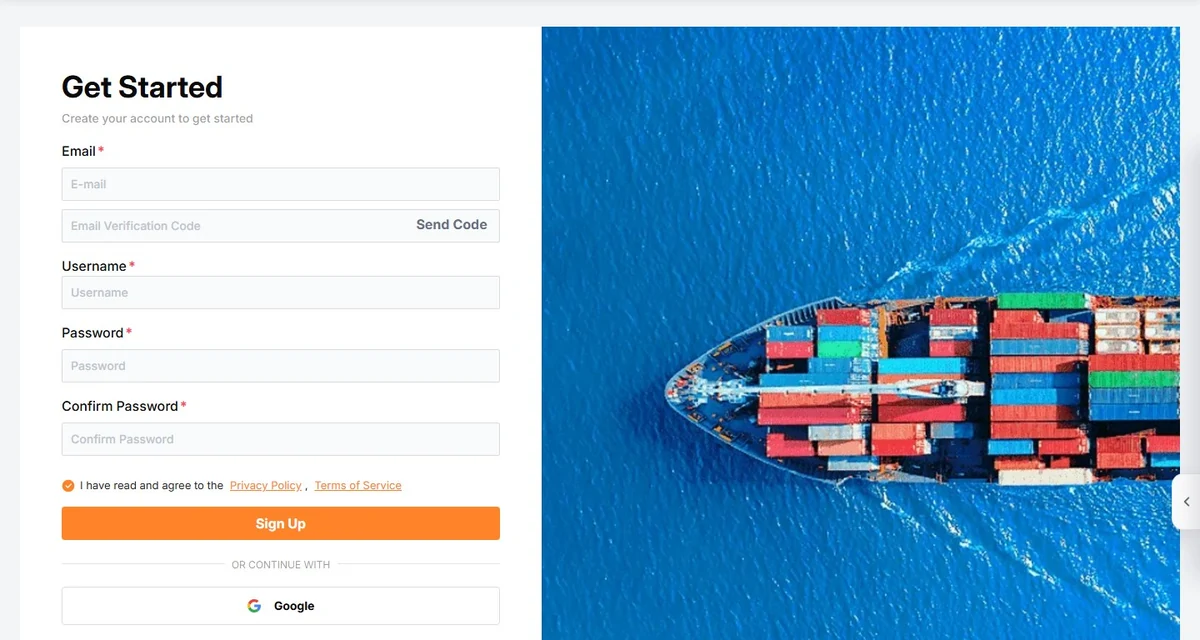
Create or sign in to your CNCartGo account on cncartgo.com. Use an email address you can access for verification, recovery and order messages, and follow the sign-up instructions displayed at the time. Review the terms and privacy information before confirming registration.
After signing in, open the profile/avatar menu to reach Personal Center. This overview brings together profile information, wallet balance, points, coupons, order status, recent orders and parcels, wishlist and browsing history. Use it to identify which order or parcel needs attention before opening the detailed menu.
- Check that you are signed in to the intended account.
- Review the overview for outstanding order or parcel actions.
- Open the relevant detail page and keep the order or parcel reference with your notes.
Registration alone does not place an order or reserve a shipping route. If you already have a product link, continue with the buying-request step.
2. Profile, addresses and security
Profile information
Use Profile to review the account information CNCartGo uses to identify and contact you. Keep the email and phone details accurate, and update fields such as nickname or birthday only as required by the account form.
Billing and shipping addresses
The billing address relates to the payment or invoice details. A shipping address is the destination where you want the goods delivered. CNCartGo’s guide describes saving multiple shipping addresses; select the correct one for each order or parcel rather than assuming the last address will be reused correctly.
A China domestic warehouse recipient is a separate set of instructions. For forwarding, copy the warehouse address, recipient, phone and parcel reference from the current authenticated order instructions each time. A customer-support number is not a substitute for the assigned domestic recipient.
Security
Security covers the login password, a separate payment password and email changes. Use the appropriate control for the task; the payment password is distinct from the login password. Keep access to the verified recovery email, and use the displayed recovery procedure if a password is forgotten.
Do not share either password, a verification code or full card details in tickets or messages. For an address or account field you cannot resolve, contact official support before proceeding.
3. My Orders: purchases and order records
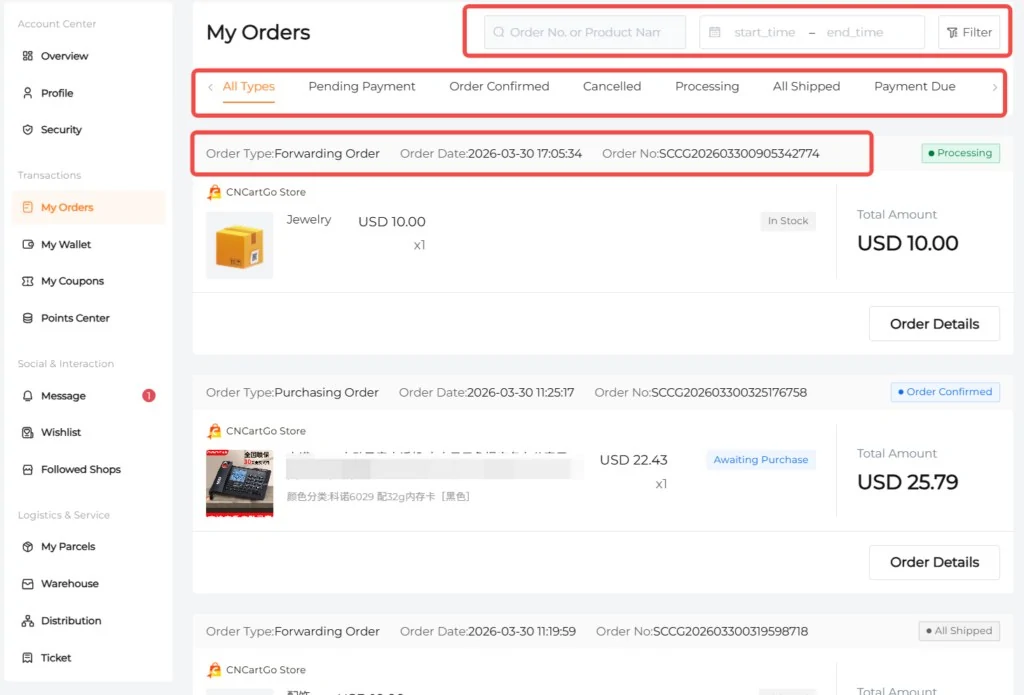
My Orders groups the order types described in the guide, including Sourcing, Forwarding and DIY orders. Use the filters and order reference to locate the transaction you mean. Review the order type as well as the status; a purchase record and an outbound parcel are not interchangeable.
Open Order Details to review item options, quantities, charges, service tags and available actions. The guide also describes changing a delivery address before shipment where the order permits it. Check the available action and current status rather than assuming every order remains editable.
- Find the correct order by reference or date.
- Match the selected item and variant against your original request.
- Review procurement and payment status; keep the receipt if a payment needs investigation.
For the complete sequence from request to delivery, use How to buy from China. For received goods and outbound shipping, use Warehouse and My Parcels below.
4. My Wallet: balance, top-ups and Transaction History
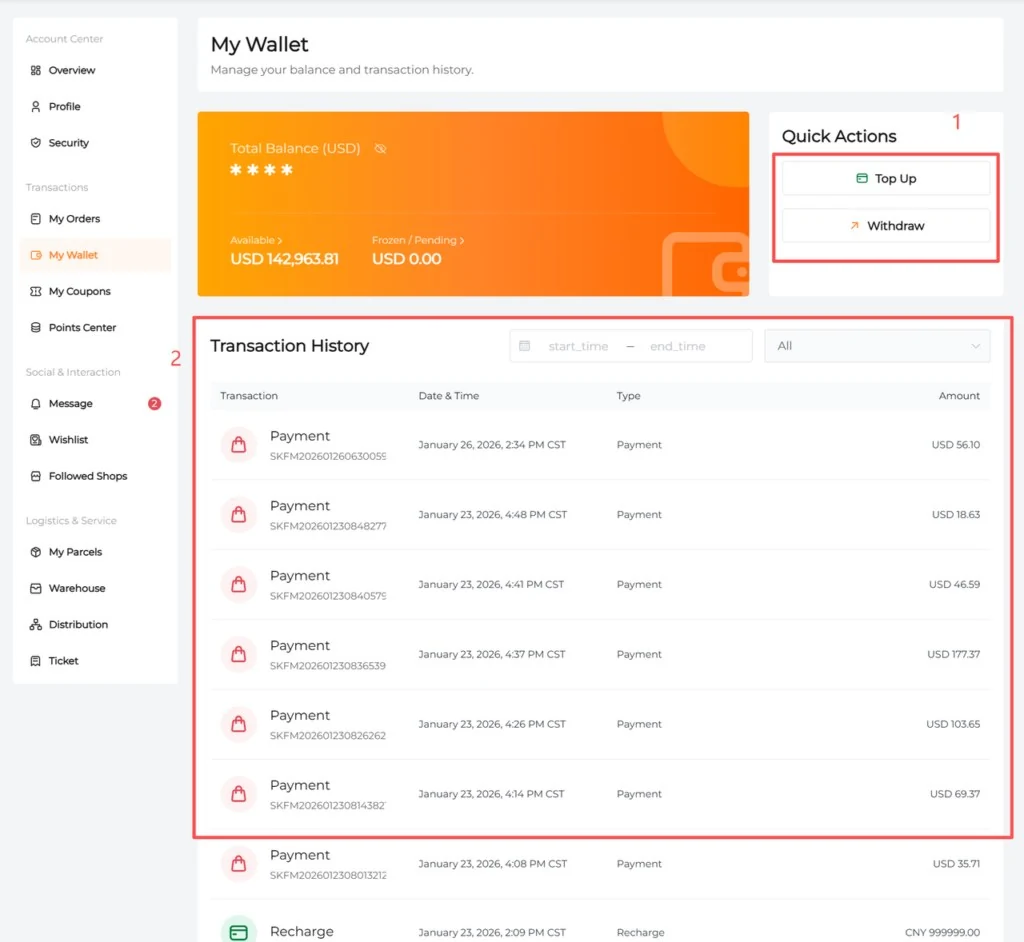
My Wallet shows your platform balance and transaction records. A top-up adds funds to the balance; it does not automatically settle an order or parcel. Return to the specific checkout, complete its payment step and verify the resulting payment status.
For buying-agent orders, purchasing and international shipping are separate payments. A funded wallet or paid purchasing order does not mean freight has been paid. After receiving and parcel measurement, review the shipping quote and follow the parcel’s payment instructions.
CNCartGo’s current payment policy allows Wallet Balance Payment and eligible Stripe methods, with availability determined at checkout. Wallet funds are for use within the platform and cannot be withdrawn or transferred to a bank account or card. A control pictured in an older example does not override the current wallet rules.
Use Transaction History to reconcile top-ups, payments and refunds. If a payment is unclear, keep the order reference and receipt and contact support before paying again. Currency conversion, bank charges and provider rules can affect the final charge.
Fees and payment boundaries · Payment-status help
5. My Coupons and Points Center
My Coupons
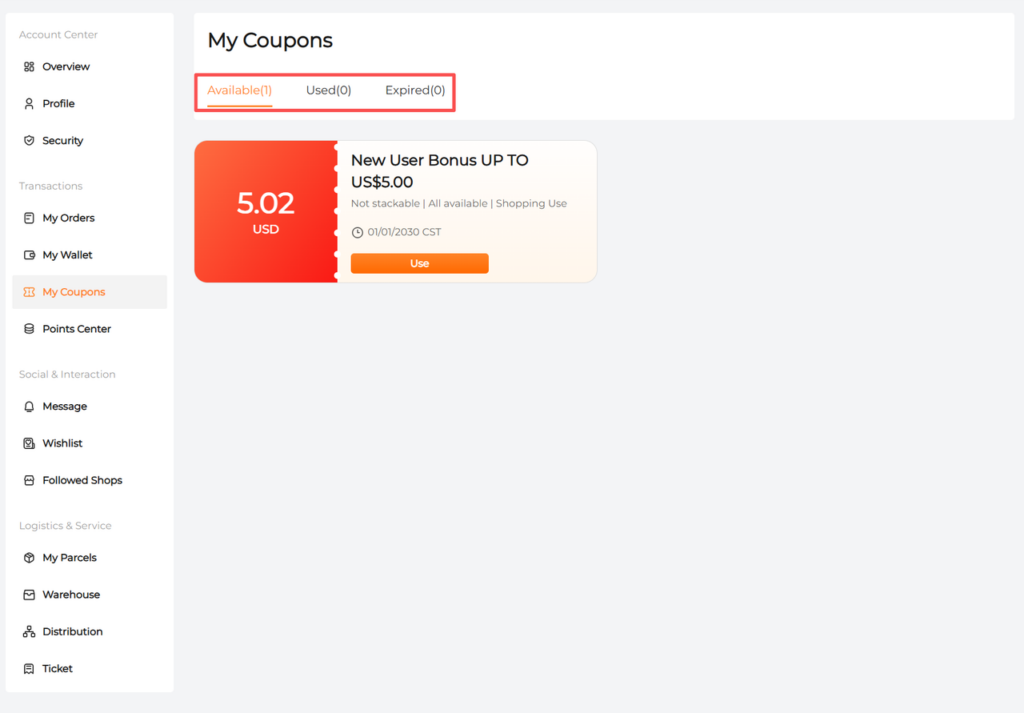
Open My Coupons to distinguish available, used and expired coupons. Read the amount, eligible order or goods, minimum spend, expiry and any stacking restriction before using one. Confirm that the intended discount actually appears in the order’s checkout total.
The published screenshot is an example of where coupon terms appear. It is not an offer for this site’s readers or evidence that the same reward is currently available.
Points Center
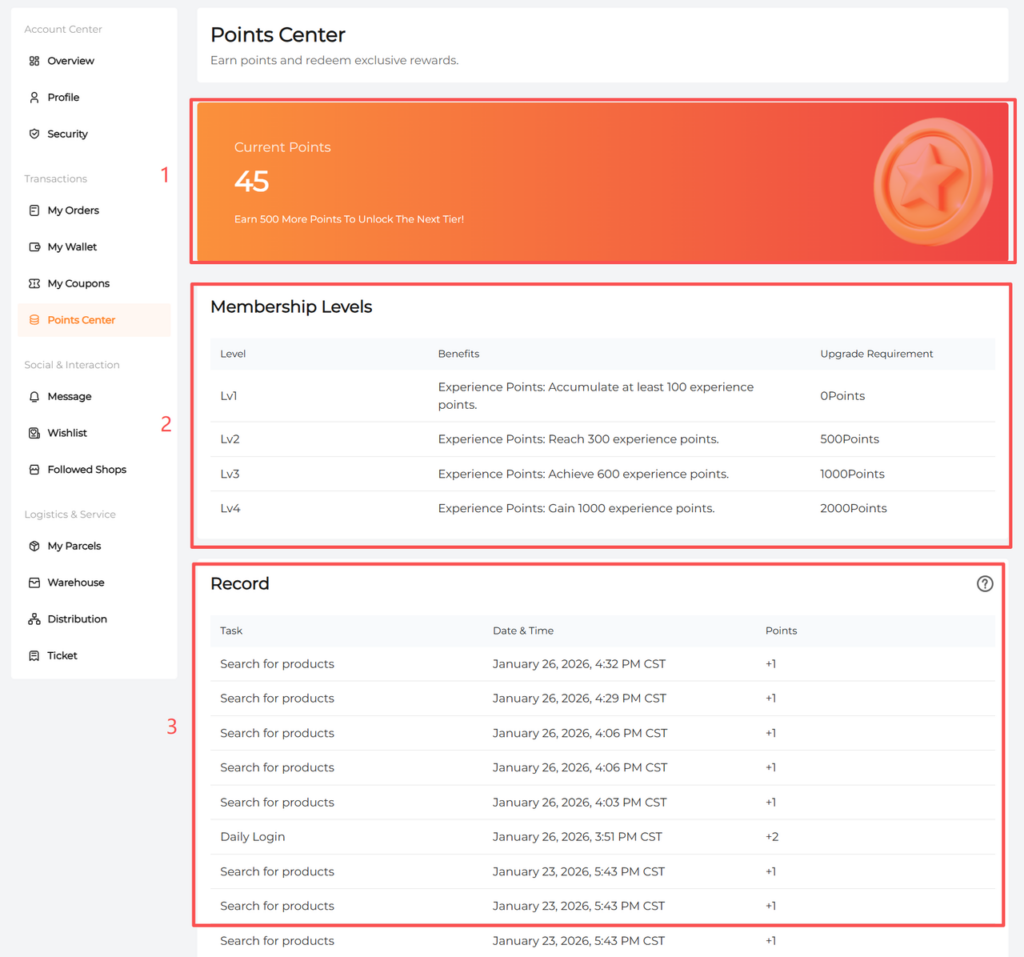
Points Center shows available points, membership tiers or requirements, and points history. The official guide describes earning points through account activities such as login, product searches and saved items. Review the tasks and conditions displayed in your account, then check the history if a completed activity has not been recorded as expected.
Points, membership thresholds and benefits can change. Do not assume an example table guarantees a discount or subtract an unconfirmed benefit from your order budget.
6. Message, Wishlist and Follow Shops
Message
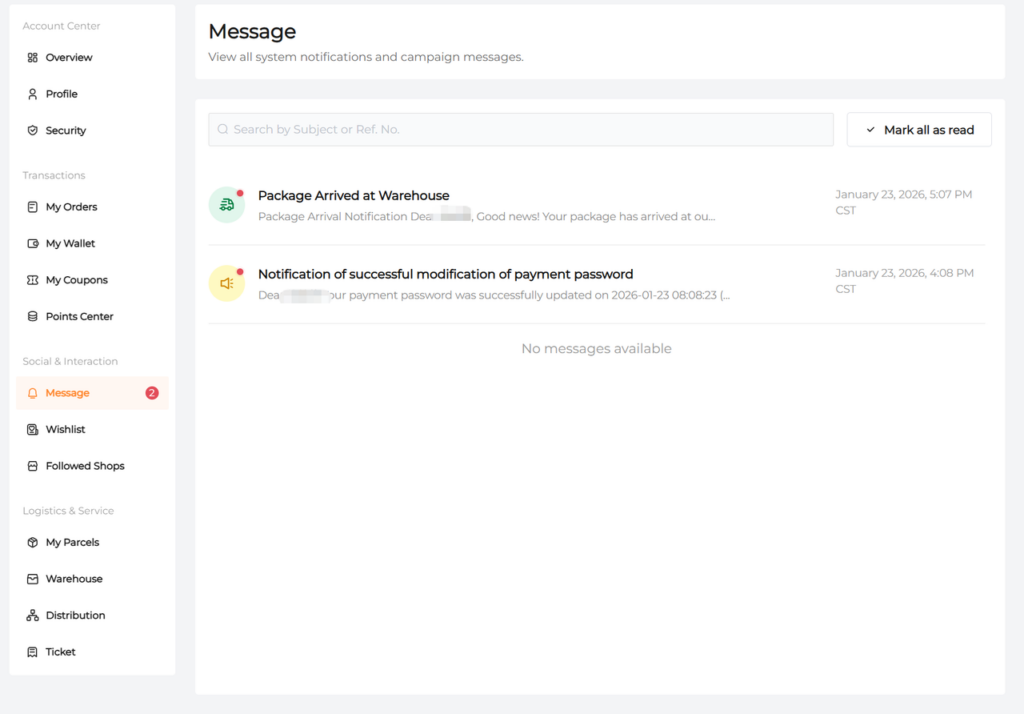
Use Message to review account notifications, order progress, parcel updates and support-related notices. Open the message connected to your order and follow any required action. Read a notification alongside the relevant order or parcel status rather than treating the message list alone as proof of dispatch.
Wishlist
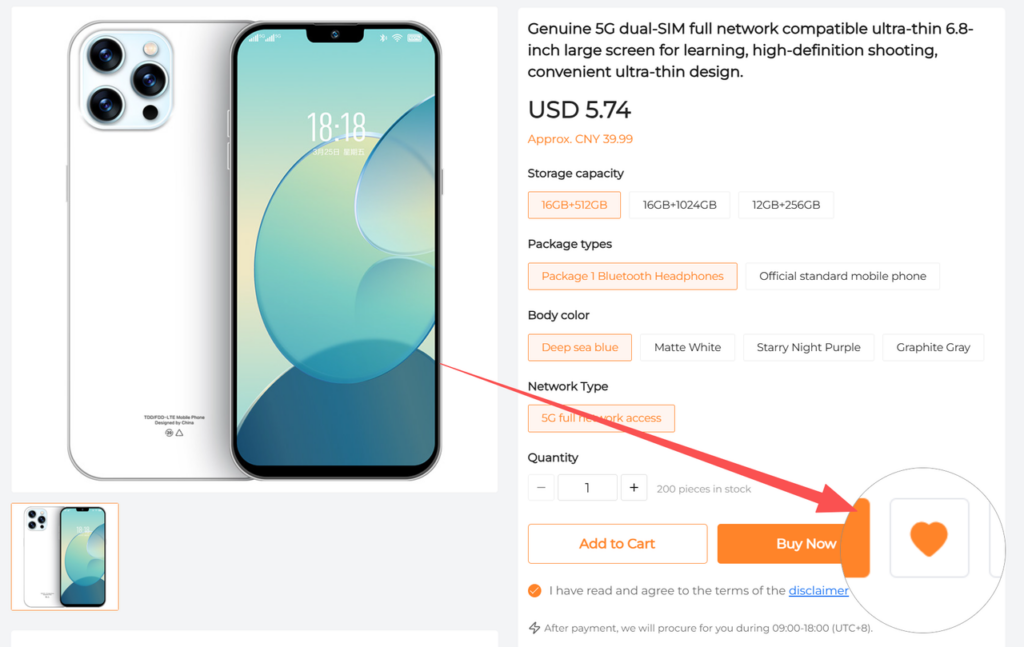
The heart control saves a product to Wishlist. Use the list to return to a product, filter or edit saved entries, and compare the selected option again before purchasing. Saved products may change in price, stock or variants; saving an item is not buying it or reserving the quoted price.
Follow Shops
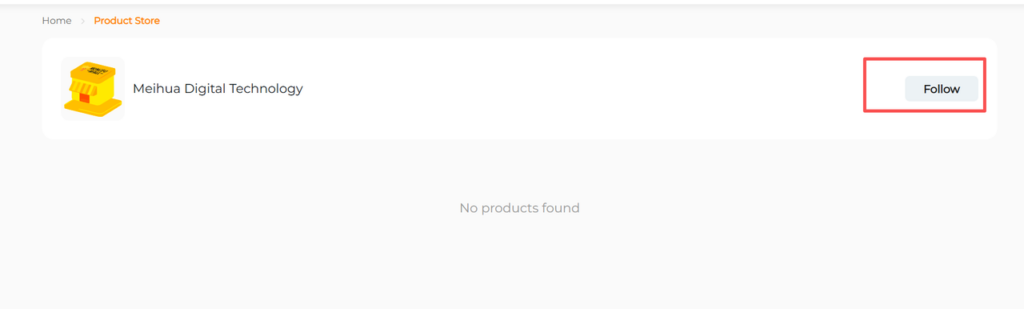
Open a store’s page and use Follow to save the shop. Return through Followed Shops when you want to browse or source from it again. Following a shop does not establish seller reliability or guarantee that a later item can be purchased or shipped.
The Spreadsheet shelves can help you discover a listing; keep its original seller link and exact options when moving between saved items and a buying request.
7. Warehouse and My Parcels: two different jobs
Warehouse
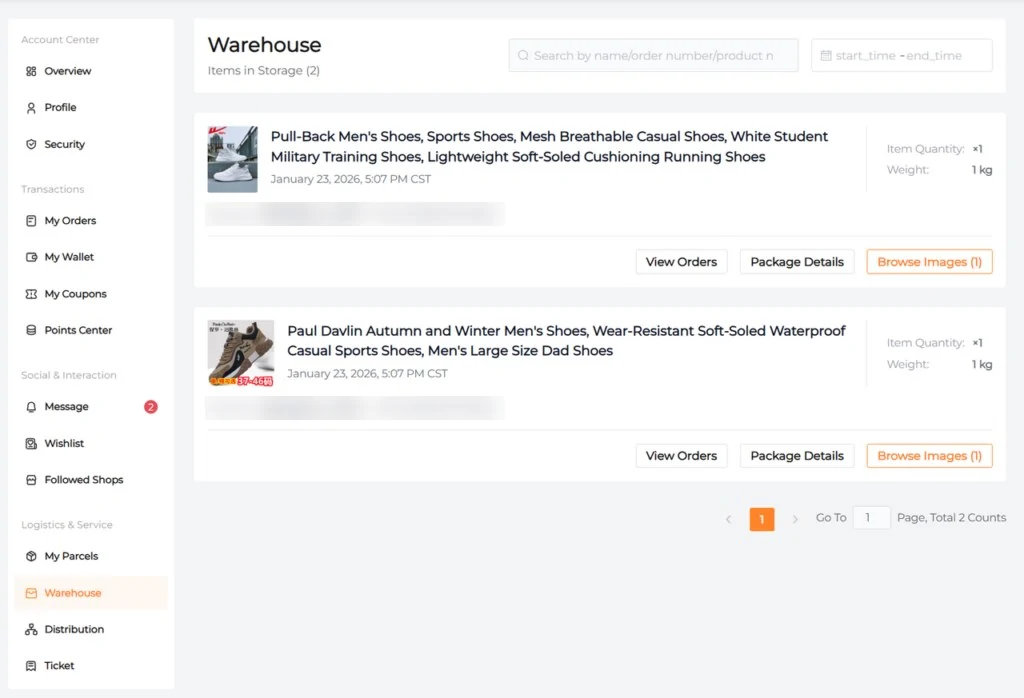
Warehouse lists received goods that have not yet been formed into an outbound shipment. Check the item, quantity, receiving status and available images. Compare visible options and condition with the confirmed order and raise a mismatch before requesting international dispatch.
Record the In Stock timestamp for an eligible warehouse return request and the Received date for storage. They serve different rules and may differ. Basic photos do not establish authenticity or full functionality; agree any extra checks and their charges with support.
My Parcels
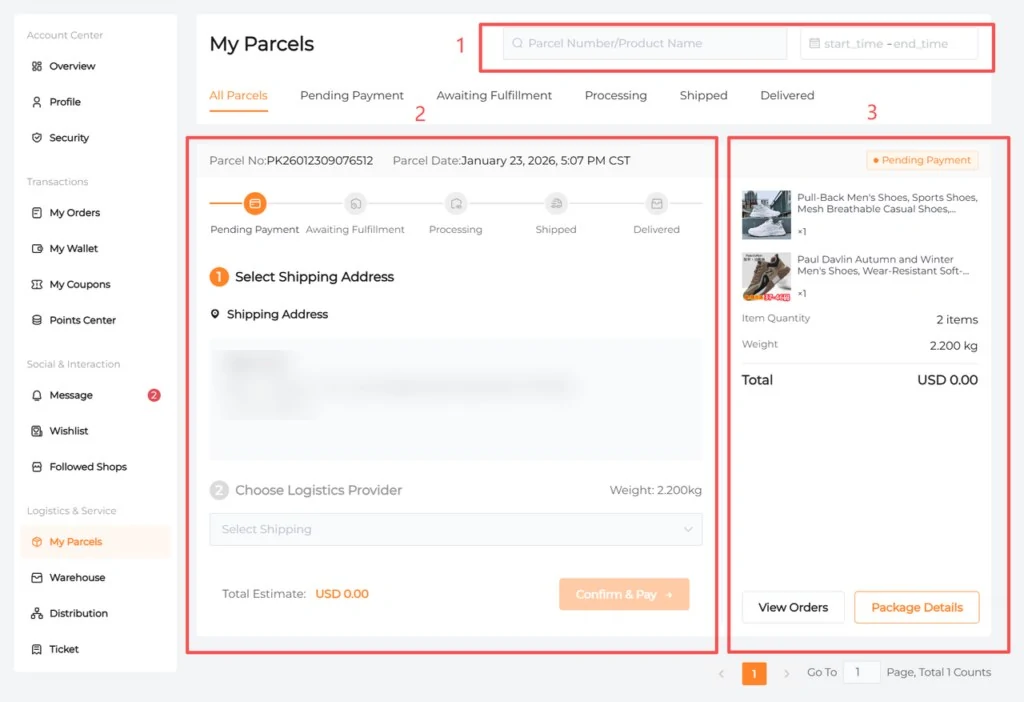
My Parcels manages the outbound parcels after the goods are ready for packing and shipment. Use the parcel reference or date filters, open Package Detail and check the contents, recipient, packed measurements, route and payment request. Review what has actually been prepared rather than assuming every item in Warehouse is already included.
Request compatible consolidation or packing before confirming the final shipment. Pay the confirmed international freight as instructed, then check dispatch and carrier updates. Neither a top-up nor the first product payment proves that a parcel has shipped.
QC, storage and return windows · Packing and consolidation · Route quotes and tracking
8. Distribution and Ticket
Distribution
The official guide describes Distribution as the place to review referral invitations, commission records, team earnings and any available transfer action. Read the current referral conditions before sharing a link or relying on a reward. A displayed commission total, wallet balance and withdrawable bank balance are different concepts.
The guide’s example describes moving eligible commission to Wallet for platform spending. Confirm the rules for your account; do not assume every balance is cash-withdrawable or that a historical example promises earnings.
Ticket
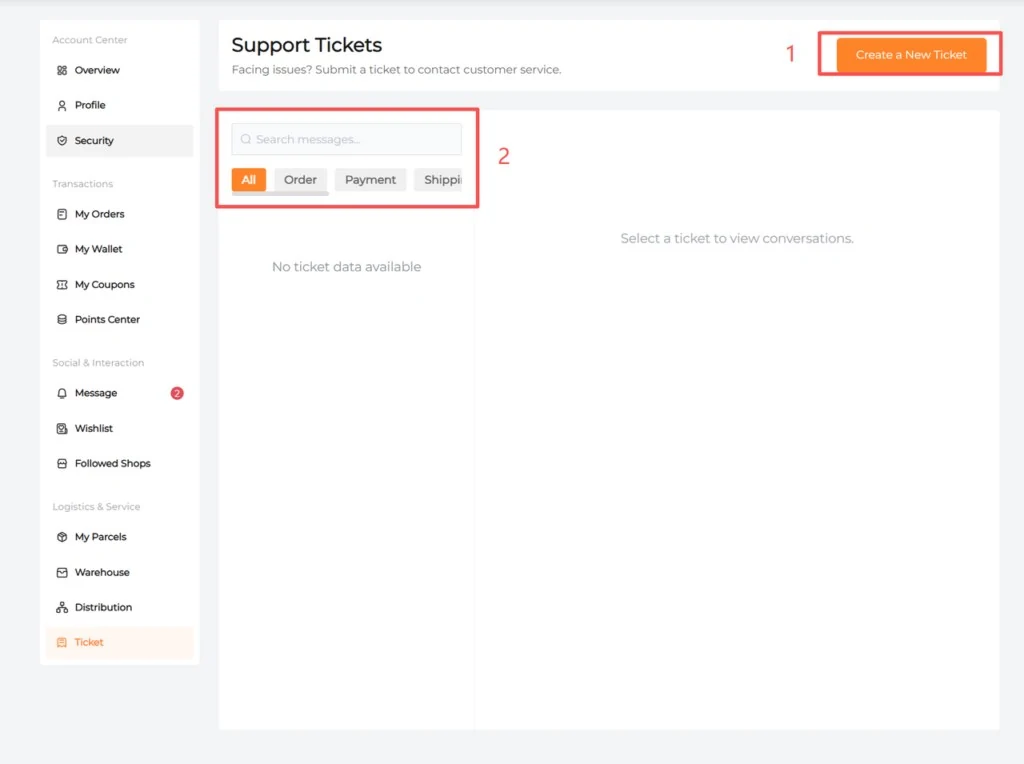
Use Ticket to create and follow an order, payment, shipping, product or account support request. Choose the relevant issue, include the exact order or parcel reference, describe the action you need and attach relevant evidence. Search or filter existing records to keep replies and updates in the same case.
- Open Ticket and choose Create / Create a New Ticket.
- State the issue, reference, relevant date and requested resolution.
- Attach clear item, packaging, tracking or payment-status evidence with private payment data removed.
- Follow the response and confirmed instructions before returning goods or paying again.
For an urgent deadline or missing account control, use CNCartGo’s official support contacts. This independent Spreadsheet site cannot access or change your account.
Ready for your first order?
Have your original product link, exact options, quantity and destination ready. Confirm account and address details, review fees, and keep purchase and international-shipping payments separate. Follow the How to buy from China workflow for the order itself.
Guide source and example screens
Based on CNCartGo’s official Beginner’s Guide, checked alongside the Payment Policy on 2 November 2026. Screens are public guide examples and dated captures, not authenticated tests of every account feature.